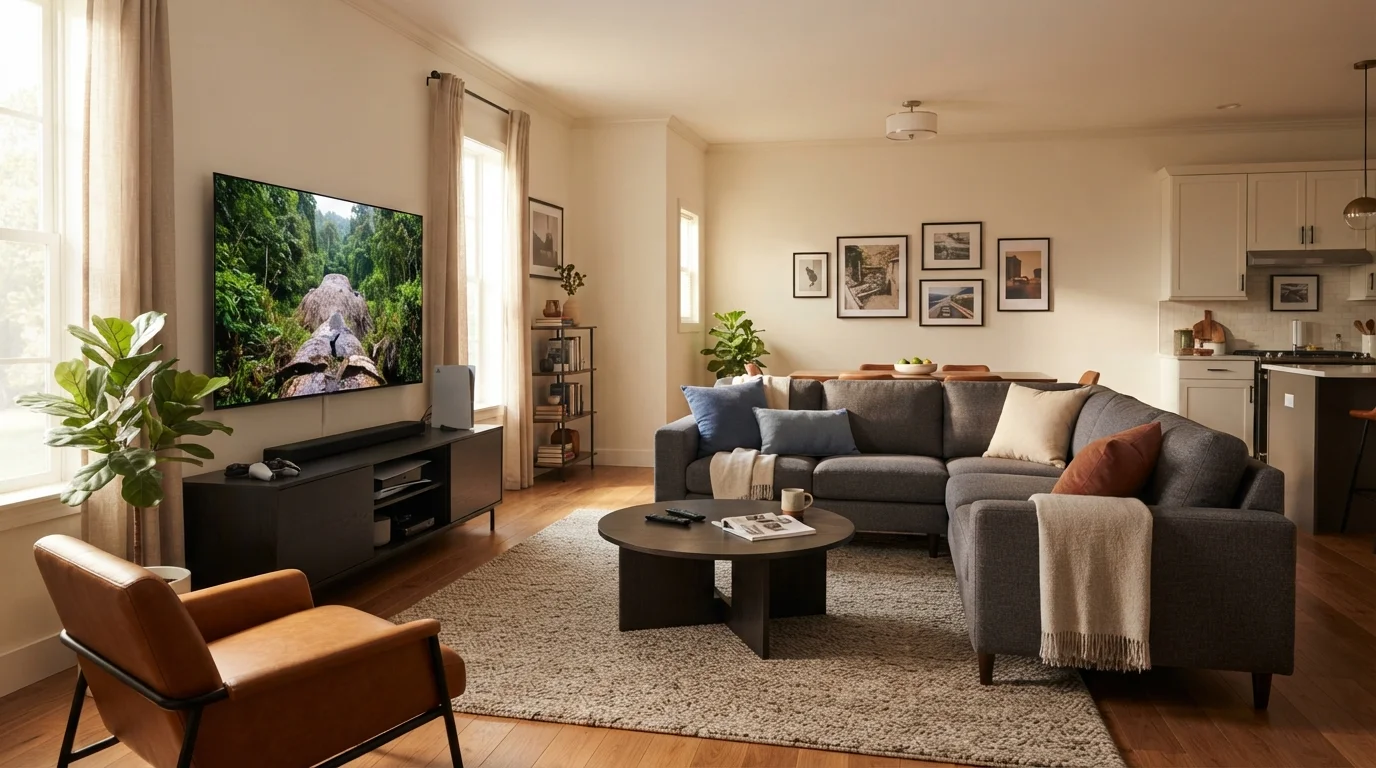
You just bought a new 65-inch OLED, but something feels off. Your neck hurts after one episode, and the lamp on the side table creates a nasty reflection right in the middle of the action. Sound familiar? Getting your living room furniture for TV viewing right is both an art and a science. It’s not just about where the couch goes—it’s about how your whole room interacts with the screen.
In this guide, I’ll walk you through a step-by-step approach to optimizing your layout. Whether you’re starting from scratch or tweaking an existing arrangement, these tips will save your neck, your eyes, and your movie night vibes.
Why Your Current TV Setup Might Be Hurting You
Most people push the TV above the fireplace because it “looks clean.” Big mistake. Your neck is not designed to look upward for two hours. The center of your screen should be at eye level when you’re seated—usually around 42 inches from the floor.
If your TV is too high, you risk “tech neck” and fatigue. If it’s too low, you’re looking down, which strains your upper back. For a deeper dive on overall room flow, check out our space planning resources for more ergonomic tips.
Finding the Sweet Spot: TV-to-Seat Distance
Distance matters more than you think. Sit too close, and you see every pixel. Sit too far, and you miss the details. The general rule for a 4K screen is to multiply the diagonal screen size by 1.5.
For example:
- 55-inch TV: sit about 6.9 feet away
- 65-inch TV: sit about 8.1 feet away
- 75-inch TV: sit about 9.4 feet away
If your room is small, don’t force a giant screen. A 50-inch set in a cozy den often works better than a 70-inch behemoth that overwhelms the space.
The Three Primary Seating Layouts
Your room shape dictates your seating. Here are the three most effective layouts for a dedicated viewing area.
1. The Parallel Layout. Place the sofa directly across from the TV. This is the most common and works best for rectangular rooms. Keep the sofa centered on the wall opposite the screen.
2. The L-Shape Layout. Use a sectional with a chaise. The TV sits on one wall, and the longer section of the sofa faces it directly. The chaise extends along the adjacent wall, perfect for lounging during slower scenes.
3. The Floating Layout. Best for open-concept spaces. Float your sofa in the middle of the room, with the TV mounted on a wall behind it. Add a console table behind the sofa to define the zone. This creates a natural division between the living room and the dining area.
Dealing with Glare and Windows
Window glare is public enemy number one for TV clarity. A sunny afternoon can wash out your screen completely. The best strategy is to place your TV on a wall perpendicular to the windows.
If that’s impossible, invest in blackout curtains or cellular shades. You can also angle the TV slightly (5 to 10 degrees) away from the light source. For more ideas on managing natural light in your home, browse our home design guides.
Another trick from professional installers: use a matte screen protector or an anti-glare coating. It’s a small investment that makes a huge difference during daytime sports games.
Furniture Height and Viewing Angles
Your coffee table shouldn’t block the bottom of the screen. A low profile table (16-18 inches tall) is ideal. Side tables should be at armrest height (25-30 inches) so you can easily grab your drink without leaning.
If you use a media console, make sure it’s no taller than 24 inches if the TV sits on top. This keeps the screen centered. If you mount the TV above the console, the top of the console should be at least 6 inches below the bottom of the screen for good ventilation.
Here’s a quick reference table for standard dimensions:
| Furniture Piece | Ideal Height Range | Notes |
|---|---|---|
| TV Center (from floor) | 40-45 inches | Measured at seat level |
| Sofa Seat Height | 17-19 inches | Avoid low sofas with high TVs |
| Media Console | 20-24 inches | Lower if TV is on top |
| Side Table | 25-30 inches | Same height as armrest |
Cable Management and Speaker Placement
Visible cables ruin a clean look. Use cord covers that paint over, or run wires through the wall using a power bridge kit. For sound, place your soundbar directly below the TV, centered.
If you have rear speakers, place them at ear level behind the main seating area, about 2-3 feet above the floor. Don’t put them too close to walls or they’ll sound boomy. For a full beginner’s guide on whole-home wiring, our blog section has several case studies.
How to Handle a Corner TV Setup
If your room forces you into a corner, you need a specialized corner TV stand. Angle the sofa at 45 degrees to face the screen directly. Avoid putting the TV in a corner that is also a walkway—people bumping into it will ruin both the TV and the mood.
Corner setups work well in square rooms. They also free up wall space for art and shelving. Just remember that corner viewing angles are narrower, so stick to a 55-inch or smaller screen for the best experience.
Frequently Asked Questions
1. Can I put my TV above the fireplace?
You can, but it’s usually too high for comfortable viewing. Use a drop-down mount that lowers the screen when you watch. The heat from a fireplace can also damage electronics over time, so check your manufacturer’s guidelines.
2. What is the best distance for a 75-inch TV?
For a 4K 75-inch TV, sit about 9 to 10 feet away. This gives you a wide field of view without straining your eyes.
3. Should I mount the TV or use a stand?
Mounting saves floor space and looks sleek. A stand gives you easy access to ports and is better if you move often. Both work as long as the screen center is at eye level.
4. How do I reduce reflections on my TV?
Close curtains, use matte screen covers, or reposition the TV away from direct windows. Even a small 5-degree tilt can kill a reflection.
5. Is a sectional good for TV viewing?
Yes, but choose an L-shaped or U-shaped sectional where the main section faces the TV directly. Avoid deep seats that make you lean back too far.
6. What about lighting behind the TV?
Install bias lighting (LED strips on the back of the TV). It reduces eye strain and enhances contrast without creating glare on the screen.
7. Can I put my sofa in the middle of the room?
Absolutely. This is called a floating layout. It works great in open floor plans and helps define the living area without walls.
8. Do I need a soundbar for TV audio?
Most modern TVs have thin, weak speakers. A soundbar dramatically improves dialogue clarity and bass. It’s one of the best upgrades for your room.
Final Thoughts on Your TV Room Layout
Arranging your living room furniture for TV viewing doesn’t have to be complicated. Stick to eye-level screens, the right distance, and glare-free windows. Your body will thank you, and your binge-watching sessions will feel like a private cinema.
If you want to refine your arrangement even further, consider your room’s natural flow and how it connects to other areas. You might also enjoy exploring our garden design section for ideas on connecting indoor and outdoor entertainment spaces.
Start with one change today—move that sofa six inches forward or lower the TV mount. Small tweaks create a big impact. Happy viewing!