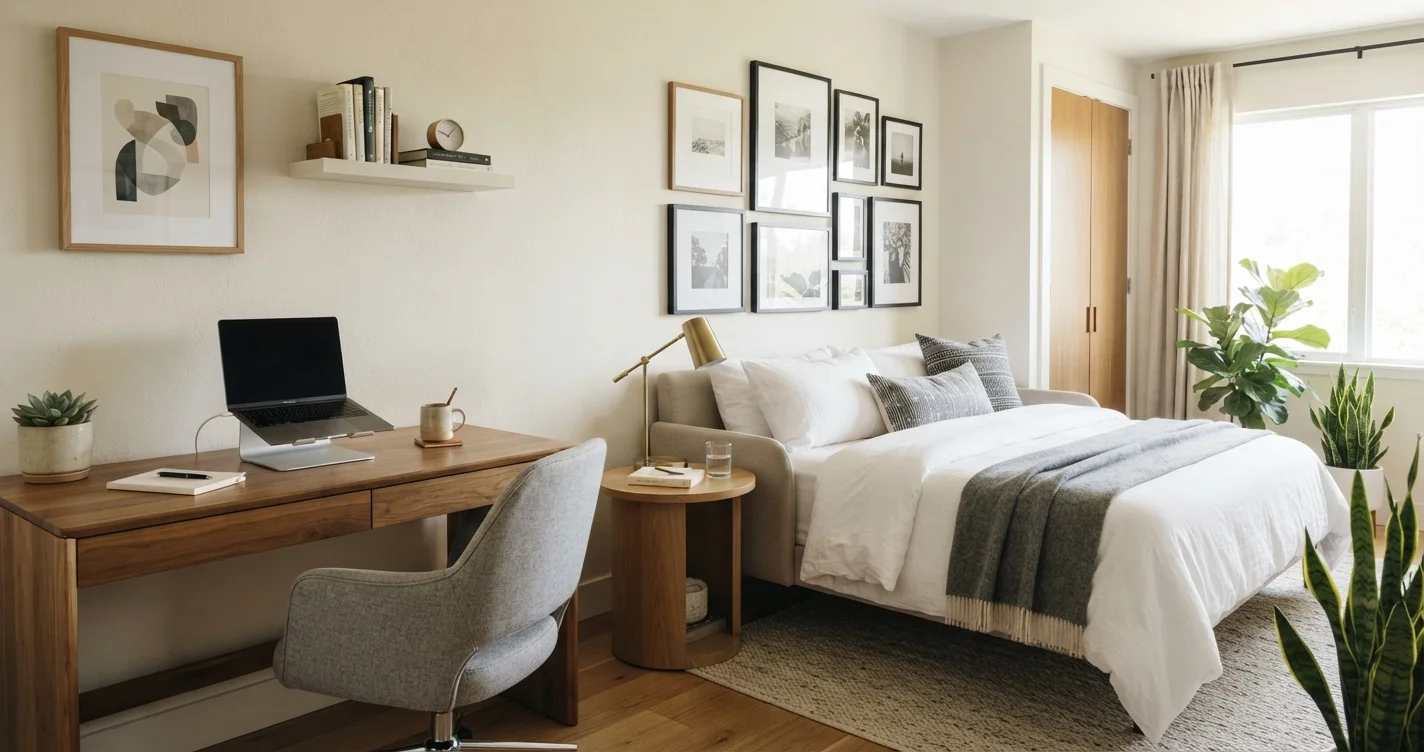
Your spare bedroom doesn’t have to sit empty for months between visitors. By creating a multi-functional guest room and home office layout, you can turn that underused square footage into a productive workspace that still welcomes overnight guests with warmth and comfort. The key is smart furniture choices, clever zoning, and storage that works double duty.
Whether you work from home full-time or just need a quiet spot for bills and emails, this guide walks you through a room design that serves two very different purposes without feeling cramped or cluttered. Let’s break down the best strategies for a dual-purpose room design that actually works in real life.
1. Define Your Zones: Work Zone vs. Sleep Zone
Before buying a single piece of furniture, map out where each function will live. The bed area should feel restful and separate from the desk. If the room is small, place the bed against one wall and the desk near a window or opposite corner. Even a simple visual division—like a floor lamp or a low bookshelf—helps the brain switch modes.
Use a rug to anchor the sleeping zone and a different mat or floor finish near the desk. This physical separation makes the room feel bigger and more intentional, not like a chaotic multi-functional space. For more ideas on segmenting areas, check out our space planning tips.
2. Invest in Convertible and Space-Saving Furniture
Choosing the right furniture is the backbone of any home office guest room combo. A murphy bed that folds into the wall is the gold standard—it instantly clears floor space for work hours. If a murphy bed isn’t in the budget, try a daybed with trundle or a futon that doubles as a sofa during the day.
- Wall-mounted desk that folds down when you need it
- Nightstand with file drawer capacity
- Ottoman with hidden storage for linens
- Bookcase that includes a pull-out desk surface
These space-saving furniture for small rooms pieces let you switch from office to guest mode in under five minutes. The less you have to move around, the more likely you’ll keep the setup functional every day.
3. Choose a Neutral, Calming Color Palette
Color affects both productivity and relaxation. Stick to soft neutrals, warm whites, light grays, or muted blues and greens. These tones make the room feel larger and work for both a professional Zoom background and a cozy guest retreat. Avoid loud patterns or dark walls that shrink the space visually.
Add pops of color with pillows, a small plant, or desk accessories that are easy to swap. This keeps the room flexible and future-proof. Neutral walls also make it simpler to update the decor without repainting.
4. Prioritize Smart and Hidden Storage
Nothing kills a dual-purpose room faster than clutter. You need guest room storage solutions that hide away office supplies, files, and personal items when guests arrive. Think baskets under the bed, a cabinet desk with doors, and floating shelves that keep the floor clear.
| Storage Type | Best For | Guest Mode |
|---|---|---|
| Under-bed bins | Extra linens, cables, seasonal decor | Slides under bed, out of sight |
| Desk with cabinet doors | Laptop, printer, paperwork | Close doors for a clean look |
| Floating shelves | Books, plants, decorative items | Works for both modes |
| Ottoman with storage | Blankets, pillows, charging cables | Becomes extra seating + storage |
Good storage means your space is ready for a guest in 10 minutes flat. No frantic shoving of work stuff into the closet—just a quick tidy-up and you’re done.
5. Optimize Lighting for Both Tasks and Relaxation
Lighting is often overlooked in dual-purpose room design, but it’s critical. You need bright task lighting for your desk (adjustable arm lamp is perfect) and softer, warm lighting for the sleeping area. Install a dimmer switch on the ceiling light if possible—that’s the fastest way to change the room’s mood.
Use blackout curtains or cellular shades on the windows. They block early morning sun when you’re sleeping in on weekends, and they prevent glare on your computer screen during work hours. Layer floor lamps and bedside lamps to create zones of light.
6. Create a Professional Yet Personal Background for Video Calls
If you use this room for video meetings, think about what’s behind you. A clean wall, a simple bookshelf, or a large plant works better than a cluttered bed corner. Avoid placing your desk with the bed directly behind you—it can look messy even if tidy.
Position your desk so your back is to a wall or a window with soft light facing you. This flattering setup works for guest photos and family video calls too. For more inspiration on styling your home, browse our home design ideas.
7. Keep the Room Adaptable with Accessories
Accessories make the room feel finished. For work mode, keep a small tray for pens, a coaster for your coffee, and a cable organizer. For guest mode, swap in a welcome basket with fresh towels, a water carafe, and a charging station. A few small changes signal the room’s new function.
Use a dual-purpose nightstand that has USB ports and a drawer for both your phone charger and guest essentials. Adding a mirror on the wall also helps guests get ready and makes the room feel larger. Research from home and garden experts emphasizes that even small tweaks in layout can dramatically improve daily flow.
FAQ: Multi-Functional Guest Room and Home Office
1. Can I combine a guest room and home office in a very small room?
Yes. Use a murphy bed or a daybed, a wall-mounted desk, and vertical storage. Keep furniture light and low to maintain an open feel.
2. How do I hide office clutter when guests arrive?
Choose a desk with cabinet doors or a roll-top. Use baskets and under-bed bins to stash paperwork, cables, and personal items quickly.
3. What bed style works best for a dual-purpose room?
Murphy beds are ideal because they fold away completely. Daybeds with trundles are also great for small spaces and serve as a sofa during the day.
4. Should I use the same furniture for both functions?
Yes, but choose multi-functional pieces. A desk that converts to a dressing table or a nightstand with file drawers helps merge both roles seamlessly.
5. How do I make the room feel welcoming for guests if it’s my office?
Add a few hotel-style touches: a small water carafe, fresh flowers, and a basket with toiletries. Neutral decor ensures it feels like a guest space, not just a messy office.
6. Is it worth installing a murphy bed?
For frequent guests and daily office use, yes. It frees up maximum floor space and instantly transforms the room. It’s an investment that adds property value too.
7. How do I separate the work zone from the sleep zone?
Use a low bookshelf, a curtain, or even a tall plant as a visual divider. Rugs and lighting differences also help define each area.
8. What’s the biggest mistake people make in dual-purpose rooms?
Buying too much furniture. Stick to the essentials and use vertical space. Overcrowding makes the room feel chaotic and hard to switch between functions.
Final Thoughts
Designing a multi-functional guest room and home office layout isn’t about compromising—it’s about being intentional. With the right floor plan, smart furniture, and a clear storage system, you can have a space that supports your workday and still feels like a five-star sanctuary for visitors.
Start by measuring your room, defining your two zones, and picking one convertible piece as the anchor. Small changes add up fast. For more guidance on making every room work harder for you, explore our blog articles on layout strategies. Your spare room is about to become the hardest-working space in your home.